
Ideogram was the better fit for an exact 16:9 export in this test. Both tools spelled “EDIT FASTER” correctly on the first attempt. The Adobe Firefly sample used larger type, and its PNG needed a small crop to reach 16:9.
What we tested
On November 16, 2026, we used a free account on each platform. We submitted the same text prompt once per tool, selected 16:9, and used no reference image. Cash spend was $0. Serbon confirmed both downloads and provided the files for inspection.
Prompt: Create a clean 16:9 YouTube thumbnail. On the left, render the exact headline “EDIT FASTER” in large, bold, white sans-serif type on a dark navy background. On the right, show a single pair of bright orange scissors cutting a teal film strip. Use a simple flat editorial illustration, strong contrast, and generous margins. The headline is the only text. No logos or extra lettering.
What the downloaded files showed
| What we checked | Adobe Firefly | Ideogram |
|---|---|---|
| Model and settings | Firefly Image 5, Widescreen (16:9), 1K | Ideogram 4.5, 16:9, 2K, Low quality, Magic Prompt off |
| Headline on first attempt | EDIT FASTER, spelled correctly | EDIT FASTER, spelled correctly |
| Downloaded file | PNG, 1344 × 768 px | JPEG, 2560 × 1440 px |
| Actual aspect ratio | 7:4 | 16:9 |
| Visible watermark | None observed | None observed |
| Free-account access | “Free daily generations” shown | Interface quoted 3 credits |
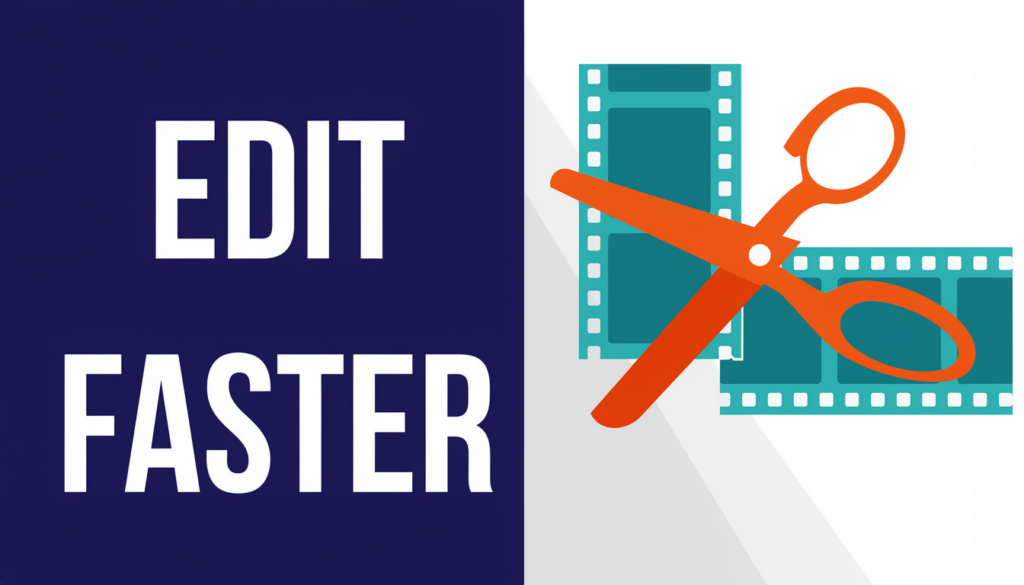
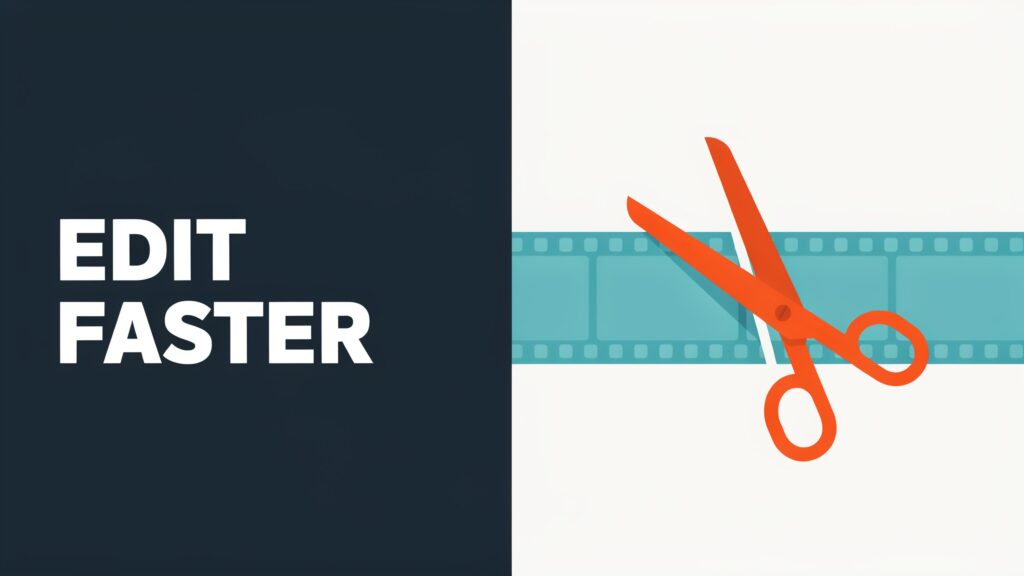
In the Firefly sample, the headline filled more of the left half, giving it stronger visual emphasis. The Ideogram sample left more space around the headline and the scissors. The Firefly file was 7:4 despite the Widescreen selection. Ideogram’s original JPEG measured 2560 × 1440, matching the export menu. An earlier copy supplied for inspection measured 2048 × 1152. Both versions have a 16:9 frame. The Ideogram interface quoted 3 credits for the run. We did not verify the credit deduction.
Which tool fits your workflow?
For exact 16:9: Start with Ideogram and check the dimensions of the saved file. If you need a specific resolution, verify it before building a batch of thumbnails.
For prominent type: Try Adobe Firefly and review the result at thumbnail size. For this PNG, a centered crop to 1344 × 756 px removes 6 pixels from the top and 6 from the bottom. That gives you an exact 16:9 frame. Check the margins after cropping.
How far these results apply
Each tool generated one image from one brief, with different resolution settings. The typography observations and file measurements describe these two exports. Repeat the same brief and settings if you need to assess consistency across a batch.
Explore more AI Image tools or read the FirstOfTen methodology.